You don't (always) need the SF Symbols app
You’re more of a video kind of person? I’ve got you covered! Here’s a video with the same content than this article 🍿
Advertisement

RevenueCat’s State of Subscription Apps report is out.
Built on data from 115,000+ apps generating over $16B in revenue, it gives developers real benchmarks for pricing, conversion, trials, and retention so you can see how your app compares.
Sponsors like RevenueCat really help me grow my content creation, so if you have time please make sure to have a look at what they offer: it’s a direct support to my content creation🙂
It’s gonna be one of these articles that’s short, but whose content can save you a descent amount of time!
If you use SF Symbols in your project, you’re probably also using the SF Symbols app to look up symbol names:

But did you know that, most of the time, you actually don’t need that app, because the name of the symbols are already accessible directly inside Xcode?
All you need to do is click on View > Show Library, open the 4th tab and you’ll get a searchable list of all SF Symbols:
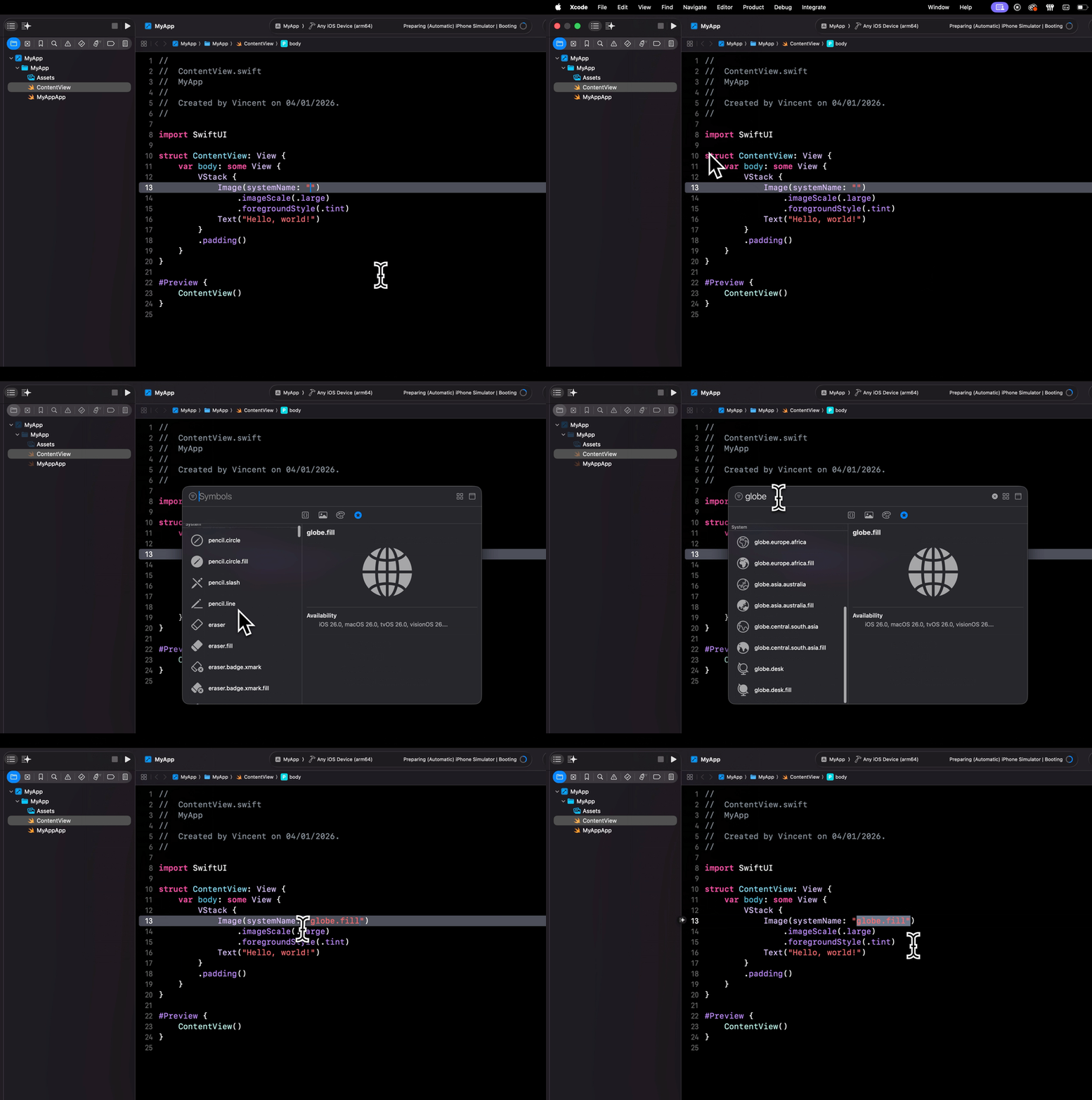
Now don’t get me wrong: I’m not saying that the SF Symbols app is useless!
It does offer useful features, like being able to preview animations or different color variants.
However, when you only need to find the name of a symbol, there’s no need to switch to this other app because the information is actually already available in Xcode.
That's all for this article, I hope you've enjoyed discovering this little known feature of Xcode!